
Members portal · Help for parents
Two things to try this week.
Your child now has their own login for the members portal. Here is how to book their turn for Sunday, and how to record the speeches they have already given.
Guide 1
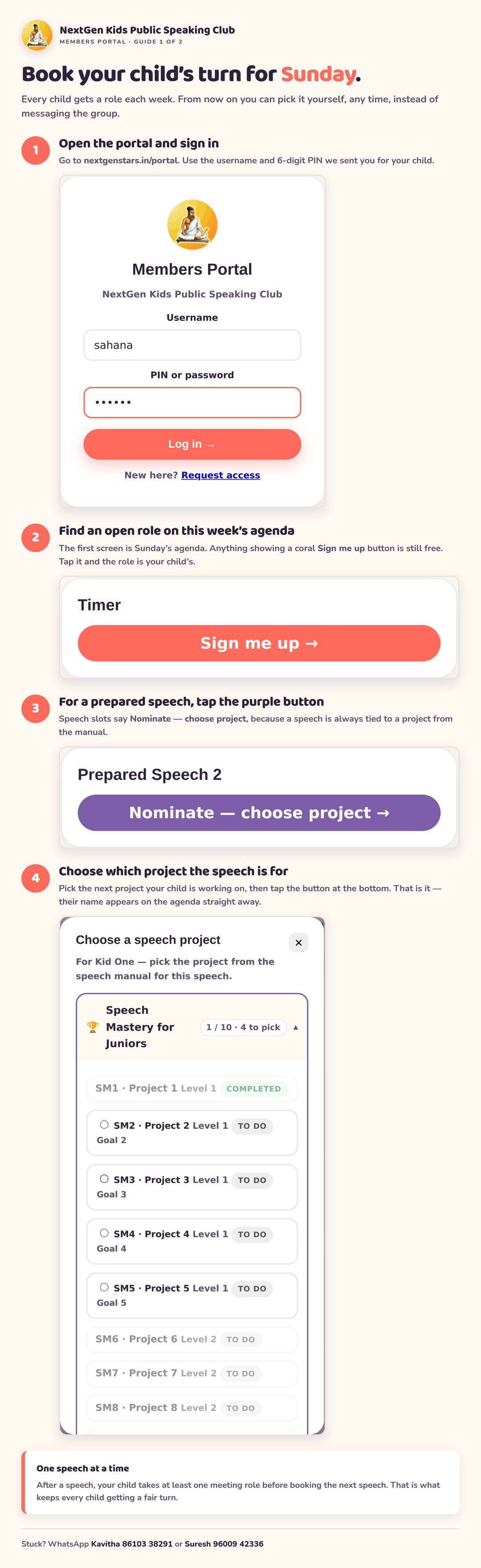
Book your child’s turn for Sunday.
Every child gets a role each week. You can now pick it yourself, at any time, instead of messaging the group.
Guide 2
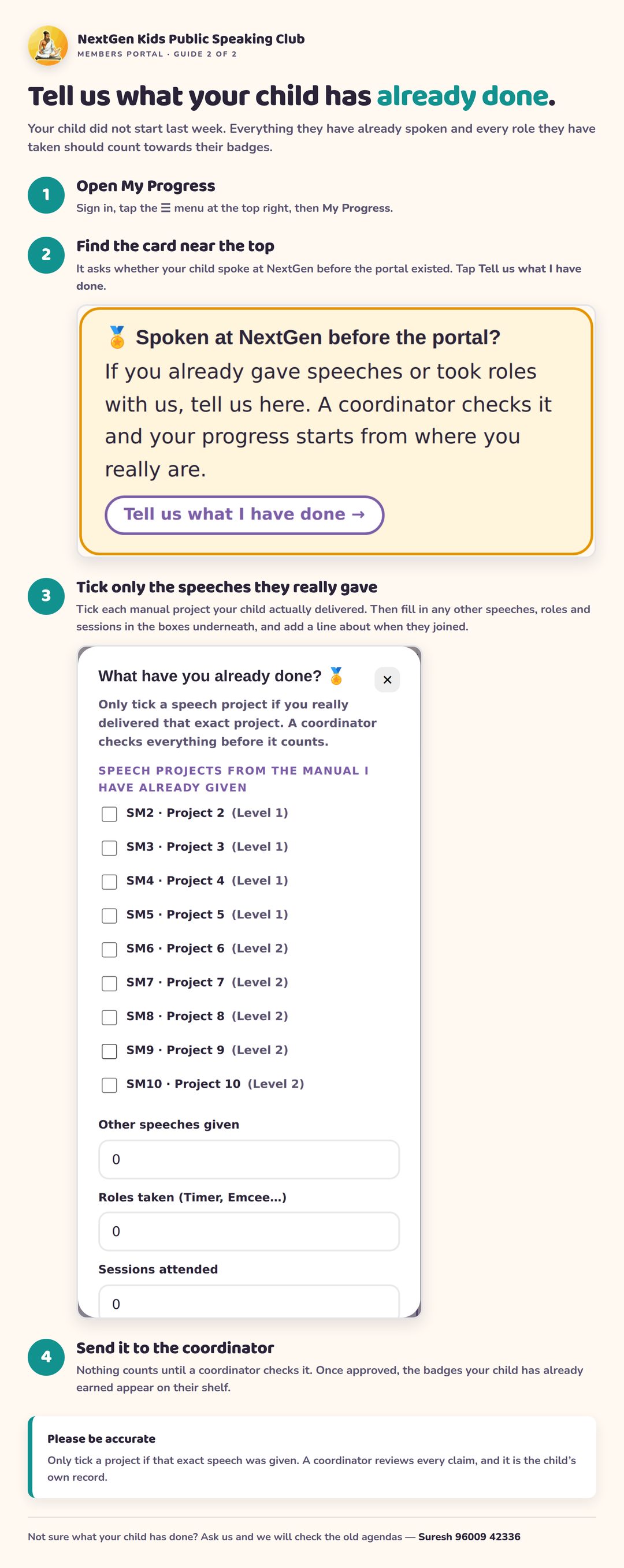
Tell us what your child has already done.
Your child did not start last week. Everything already spoken and every role already taken should count towards their badges.
Trouble logging in?
- The username is all lower case, with no spaces.
- The PIN is the 6 digits we sent you on WhatsApp.
- Still stuck? WhatsApp Suresh on 96009 42336 and we will sort it out.